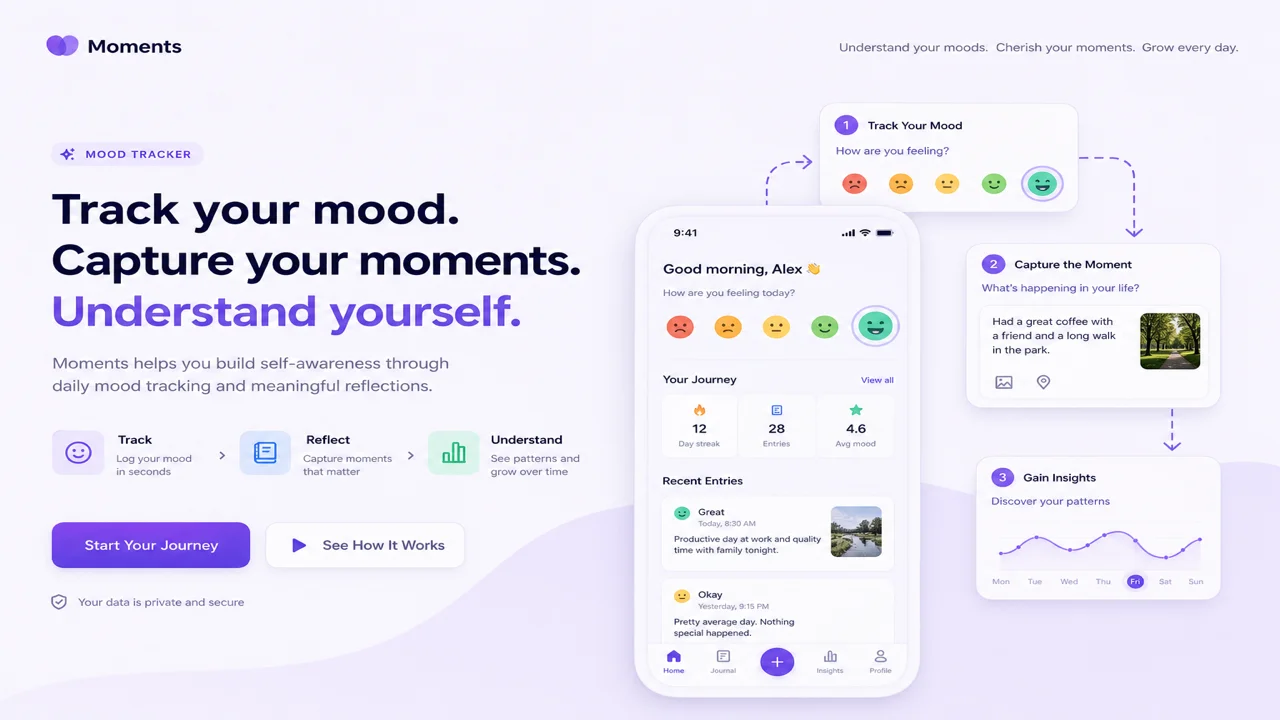
A mood tracker app should do more than paint a color on a calendar. Useful tracking connects what you felt, what was happening, and what you did next—so patterns become visible over weeks, not just spikes on a graph. Anxy’s mood tracker path runs through structured Moments, history review, and the Learnings hub.
This workflow guide is for adults who want anxiety tracking and daily reflection without clinical claims. Anxy is a wellness companion. It does not diagnose conditions, provide licensed therapy, or promise cures.
Why Moments beat a single emoji tap
Many mental health journal apps stop at “happy / meh / sad.” That is fine for streaks; it is thin for how to use mood tracker for anxiety when you need to know why Tuesday evenings feel heavy.
Anxy Moments capture:
- Emotion and intensity
- Situation context
- Thoughts in your words
- Body sensations (tight chest, restless legs)
- Behaviors (avoided call, took a walk)
That structure turns a mood tracker journal into something you can reread. It also feeds Learnings without forcing you into a therapy worksheet tone.
Step 1: Log a Moment after a real trigger
Do not wait for perfect recall. Open Moments when something shifts—after a meeting, argument, or calm walk.
- Tap Moments → Add
- Pick emotion and intensity slider
- Write one sentence of situation (“Slack ping before deadline”)
- Note one body cue if you can
- Save
Daily check in mental health habits stick when tied to an existing cue: coffee, commute, bedtime. Two minutes beats a twenty-minute Sunday catch-up you will skip.
If AI chat apps oversold therapy in your past installs, Anxy AI is optional and framed as reflection—not a clinician. You can log Moments without opening chat at all.
Step 2: Review history without judgment
Open Moments → History to scroll recent entries. Look for repeats:
- Same situation label three Fridays in a row
- Intensity dropping after breathing exercises (see breathing guide)
- Behaviors you want to nudge (scrolling in bed, skipping lunch)
Anxiety tracking improves when you compare entries across days, not when you score yourself.
Step 3: Learnings for patterns and saved advice
Learnings reunites progress from Journeys, past Moments, and saved Anxy AI suggestions. Think of it as a revisit shelf—not a grade report.
Use Learnings to:
- Spot emotion tags that cluster around work or sleep
- Reopen a technique that helped last month
- Read saved AI reflections you marked useful
Structured mood moments pay off here. Sparse logs produce sparse Learnings.
Optional Anxy AI check-ins
Anxy AI accepts free-form text and returns supportive, AI-generated insights with optional technique suggestions. Scope matters:
- Is — reflection prompts, skill reminders, gentle reframes
- Is not — licensed therapy, medical advice, or crisis intervention
If generic AI replies frustrated you in other apps, treat chat as optional spice on Moments—not the main meal. For CBT-inspired daily skills outside chat, see CBT self-help daily practice.
Journal prompts without a blank page
Mood tracker journal prompts built into Moments reduce blank-page paralysis:
- “What was happening just before this feeling?”
- “Where do you feel it in your body?”
- “What did you do next?”
Journal for anxiety works when prompts are short and repeatable. You are building a private log, not publishing essays.
Billing transparency and free tier
Surprise charges after install are a common category pain point. Anxy is freemium:
- Free — core Moments logging and starter features with limits
- Premium — expanded journeys and higher caps on Techniques, AI chats, and logging
- Manage — subscriptions through Google Play with price shown before purchase
Read what is free before a long onboarding questionnaire. Our anxiety relief limits guide maps free vs Premium honestly.
What Anxy does not claim
Anxy does not cure anxiety or depression, guarantee clinical outcomes, or replace professional care. A mood tracker app clarifies patterns—it does not diagnose them.
How we tested this in Anxy
On 2026-07-18 we logged three Moments on Android with emotion, situation, body sensation, and behavior fields, then opened History to confirm chronological order. We visited Learnings and saw the new entries reflected in the progress view. We ran one optional Anxy AI check-in with a short anxiety note and received a technique suggestion without enabling Premium. Morrowline Apps verified field save, history retrieval, Learnings surfacing, and AI scope on that date.
FAQ
How do I use a mood tracker for anxiety?
Log soon after a trigger, include situation and body cues, review weekly in History, and use Learnings to spot repeats—not to self-diagnose.
Is Anxy a mental health journal or therapy?
It is a structured wellness journal with optional AI reflection—not licensed therapy or medical care.
What are structured mood moments?
Guided fields for emotion, context, thoughts, body, and behavior—richer than a single emoji check-in.
Can I do a daily anxiety check in app without AI?
Yes. Moments and Learnings work without opening Anxy AI chat.
Log small, review often, let Learnings surface repeats. For grounding when a logged Moment shows a panic pattern, see grounding techniques for panic spikes.